Most small UK businesses think cyber criminals only care about giant corporations. Unfortunately, criminals adore small businesses because they’re usually under-protected, overworked and still sharing passwords called “Office123”. Humanity keeps treating cyber security like changing the batteries in a smoke alarm. Ignore it for years, then panic once the building is on fire.
A five-person business absolutely needs cyber security. Not enterprise-grade paranoia involving a £40,000 SIEM platform and a retired intelligence officer named Graham. But you do need sensible protections that match how modern attacks actually happen.
According to the UK government’s Cyber Security Breaches Survey, around half of UK businesses report some form of cyber breach or attack each year, with phishing remaining the most common method.
What Threats Actually Hit Small English Businesses?
Phishing Emails
This is still the biggest problem.
An employee receives:
- a fake Microsoft 365 login page
- fake invoice
- fake HMRC warning
- fake parcel delivery notice
- fake shared document request
They click.
Credentials get stolen.
Attackers log into Microsoft 365.
Then they:
- read emails
- steal invoices
- redirect payments
- impersonate staff
- spread malware
This happens constantly in UK SMEs.
Real-world example:
The UK’s National Cyber Security Centre repeatedly warns that phishing remains the most common entry point for ransomware and account compromise.
Image: Phishing Emails Targeting Small Businesses

Weak Passwords
Tiny businesses often reuse passwords across:
- Microsoft 365
- Xero
- QuickBooks
- banking
- hosting
- WordPress
- supplier accounts
One leak can compromise everything.
Attackers buy leaked passwords in bulk online and run automated login attempts across common services.
This is called credential stuffing.
Ransomware
Ransomware is not just a “big company problem”.
A small accounting firm, estate agent, trades business or ecommerce company can be crippled in hours.
Attackers encrypt:
- files
- laptops
- cloud sync folders
- backups
- shared drives
Then demand payment.
Recovery can take days or weeks.
Business Email Compromise (BEC)
This is quietly devastating in the UK.
Attackers gain access to an email account and:
- alter invoice payment details
- impersonate directors
- intercept supplier conversations
- request urgent bank transfers
Some SMEs lose tens of thousands without any “hack” looking obvious.
What Cyber Security Does a 5-Person Business Actually Need?
You do not need everything.
You need layers that realistically stop common attacks.
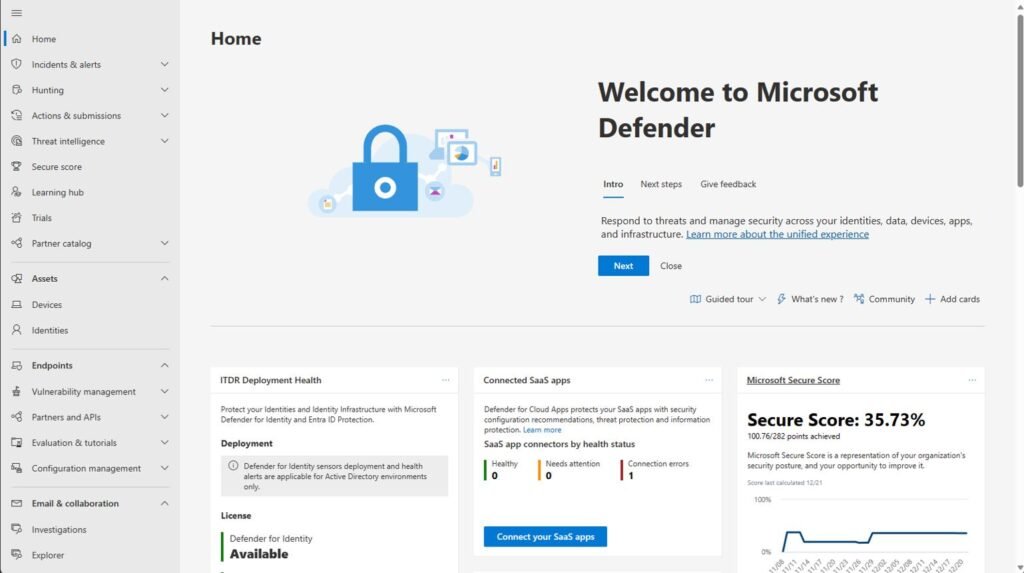
Microsoft 365 With Proper Security Enabled
If your business uses Microsoft 365, configure it properly.
A shocking number of SMEs pay for Microsoft 365 and leave most protections disabled. Like buying a modern car and removing the brakes because the warning lights looked complicated.
At minimum:
- Multi-Factor Authentication (MFA)
- conditional access
- anti-phishing protection
- anti-spam filtering
- blocked legacy authentication
- secure admin accounts
Recommended licences:
- Microsoft Business Premium
- Microsoft Defender for Business
These are usually enough for small businesses.
Approximate UK pricing:
- Business Premium: around £18–£20 per user/month
- Defender for Business: often included or bundled depending on licensing
For five users:
- roughly £100–£140/month total
That is dramatically cheaper than recovering from ransomware.
Image: Small Business Microsoft 365 Security

Multi-Factor Authentication (MFA)
This Is Non-Negotiable
MFA means:
- password + phone approval
- password + authenticator app
- password + hardware key
Without MFA:
stolen passwords often equal full access.
With MFA enabled:
most automated attacks fail immediately.
The Microsoft Security Blog and the NCSC MFA Guidance both strongly recommend MFA as one of the most effective defences.
Real-World Example
A UK design agency reused passwords across Adobe and Microsoft 365.
Adobe credentials leaked elsewhere.
Attackers logged into Microsoft 365.
Invoices were intercepted.
Clients paid fraudulent bank accounts.
Losses exceeded £18,000 before discovery.
MFA would likely have stopped the login.
Password Manager
A five-person business should absolutely use one.
Recommended options:
- 1Password
- Bitwarden
- Keeper
Benefits:
- unique passwords
- shared vaults
- secure storage
- less password reuse
- easier staff offboarding
Typical cost:
£3–£8 per user/month.
Tiny cost.
Massive risk reduction.
Endpoint Protection
Every laptop should have:
- antivirus
- anti-ransomware
- device monitoring
- exploit protection
Recommended:
- Microsoft Defender for Business
- CrowdStrike Falcon
- Sophos Intercept X
For five people:
Microsoft Defender for Business is often sufficient if configured properly.
Image: Endpoint Protection and Monitoring

Backups
Most SMEs Think OneDrive Is a Backup. It Isn’t.
If ransomware encrypts synced files, OneDrive may sync the encrypted versions too.
You need:
- cloud backups
- offline backups
- version history
- recovery testing
Good SME backup providers:
- Acronis
- Veeam
- Datto
Recovery matters more than backup existence.
Many businesses discover their backups failed only after an attack. A truly inspirational level of optimism from the species that invented “I’ll definitely remember that password”.
Staff Awareness Training
Humans Are Still the Main Attack Surface
You do not need military-grade cyber drills.
You do need staff who can recognise:
- phishing emails
- fake invoices
- suspicious links
- MFA spam attacks
- fake login pages
Basic quarterly awareness sessions help enormously.
The majority of SME attacks begin with user interaction.
Secure Wi-Fi and Router
Still commonly neglected.
Minimum:
- WPA3 or strong WPA2 encryption
- separate guest Wi-Fi
- changed admin passwords
- firmware updates
- business-grade router/firewall
Recommended firewall vendors:
- Ubiquiti
- DrayTek
- Cisco
- Sophos
Cyber Essentials Certification
Is It Worth It?
Usually yes.
Cyber Essentials is a UK government-backed security certification scheme.
It covers:
- MFA
- patching
- malware protection
- secure configuration
- access control
Benefits:
- improves baseline security
- reassures customers
- helps with tenders/contracts
- can reduce insurance issues
Approximate UK cost:
- around £320+VAT upwards for small organisations
For many SMEs, it is one of the best value security improvements available.
Image: Cyber Essentials and SME Security

How Much Should a 5-Person Business Spend?
A realistic small UK business setup:
| Security Area | Approx Monthly Cost |
|---|---|
| Microsoft 365 Business Premium | £100 |
| Password Manager | £20 |
| Backup Platform | £30–£80 |
| Router/Firewall amortised | £15–£40 |
| Awareness Training | £10–£30 |
| Total | ~£175–£270/month |
That sounds expensive until compared against:
- ransomware downtime
- lost invoices
- reputational damage
- GDPR investigations
- lost customers
- recovery consultants
- insurance excesses
One serious incident can exceed £20,000–£100,000 very quickly.
What Happens If You Ignore Cyber Security?
Operational Damage
You may lose:
- emails
- bookings
- invoices
- customer files
- supplier records
Some SMEs cannot trade for days.
Financial Damage
Costs include:
- IT recovery
- lost revenue
- legal advice
- cyber insurance excess
- replacement hardware
- emergency consultants
GDPR and Regulatory Issues
If customer data is exposed:
- you may need to report to the Information Commissioner’s Office
- customers may lose trust
- contracts may be affected
Reputation Damage
Small businesses rely heavily on trust.
A public breach can:
- damage reviews
- reduce referrals
- lose contracts
- scare clients
What Is the Best Setup for Most 5-Person English Businesses?
For most SMEs:
Recommended Practical Stack
- Microsoft 365 Business Premium
- MFA enabled everywhere
- Microsoft Defender for Business
- password manager
- cloud backup platform
- Cyber Essentials certification
- quarterly staff awareness training
- business-grade router/firewall
That setup is sensible, affordable and realistic.
Not perfect.
Nothing is.
But it dramatically lowers your chances of becoming another “we thought we were too small to be targeted” case study.
Final Thoughts
Small businesses do not need enterprise cyber security theatre.
You need:
- consistency
- sensible protections
- staff awareness
- proper backups
- MFA everywhere
- secure Microsoft 365 configuration
Most successful attacks against UK SMEs are not sophisticated.
They are opportunistic.
Attackers simply look for:
- weak passwords
- missing MFA
- outdated systems
- poor backups
- distracted employees
And unfortunately, modern business life is basically one endless conveyor belt of distracted employees clicking things quickly while pretending Teams meetings are useful.