Short answer
For typical users in England today:
1️⃣ Smartphone (modern iPhone or Android) – generally the safest
2️⃣ MacBook / macOS laptop – strong built-in security design
3️⃣ Tablet – similar to phones but often updated less frequently
4️⃣ Windows laptop – most targeted by malware due to popularity
That ranking is not absolute. A badly configured phone can be less safe than a well-secured laptop. But based on how modern security systems work, mobile operating systems and tightly controlled ecosystems usually provide the strongest default protection.
Mobile phones (smartphones)

Why smartphones are often the safest online devices
Operating systems designed for hostile environments
Smartphone operating systems such as iOS and Android were built much later than desktop operating systems, and security was integrated from the start. They use techniques such as:
- App sandboxing (apps isolated from each other)
- Secure hardware modules
- biometric authentication
- verified app stores
Security researchers note that modern smartphones often run apps inside tightly restricted containers, limiting the damage malware can cause.
Locked-down app ecosystems
Apple’s App Store and Google Play both vet applications before distribution. Apple’s approach is especially strict, which reduces the number of malicious apps reaching users.
Hardware-backed encryption
Modern phones include dedicated security chips such as Apple’s Secure Enclave or Android’s Trusted Execution Environment, protecting sensitive data like fingerprints and encryption keys.
Remote wipe and device tracking
The UK National Cyber Security Centre emphasises that mobile devices can be tracked, locked or wiped remotely if lost or stolen, which helps limit damage.
The downside
Phones are still vulnerable if:
- apps are sideloaded from unofficial stores
- the device is jailbroken/rooted
- phishing tricks users into giving away passwords
So the “safe by design” advantage disappears quickly if people behave like… well, people.
MacBook / macOS laptops
Why Macs are often considered safer laptops
Unix-based operating system
macOS is built on a Unix foundation, which historically emphasises permission controls and separation between user processes and system components.
Integrated hardware and software design
Apple controls both the hardware and operating system. This allows tighter security integration such as:
- Gatekeeper preventing unsigned apps from running
- XProtect malware scanning
- FileVault full-disk encryption
These mechanisms help limit malware execution and protect stored data.
Lower malware targeting historically
Cybercriminals often focus on Windows PCs simply because they dominate the market. A larger install base creates more profitable attack opportunities.
Important caveat
Macs are not immune to malware. Security researchers and security firms regularly detect Mac-targeted threats including spyware and credential stealers.
There have even been cases of malware distributed through pirated Mac software designed to steal passwords and files.
In short: safer architecture, not magical immunity.
Tablets

Why tablets sit somewhere in the middle
Tablets usually run the same operating systems as smartphones:
- iPadOS
- Android
That means they inherit many of the same security advantages:
- app sandboxing
- encrypted storage
- app-store vetting
However tablets can be slightly less secure in practice because:
- users update them less frequently
- older tablets stop receiving updates sooner
- they are often shared within households
And once a device stops receiving security patches, vulnerabilities can accumulate quickly.
Windows laptops
Why Windows laptops are often the biggest target
Massive global market share
Windows PCs dominate the global desktop market. That makes them the most profitable target for malware developers.
Some estimates suggest Windows systems experience far more malware attacks than macOS, largely because of their market share.
Larger software ecosystem
Windows allows software installation from many sources:
- websites
- downloads
- USB devices
- third-party app stores
This flexibility is useful but increases the attack surface.
Legacy compatibility
Windows must support decades of legacy software and hardware. Older components can create security weaknesses compared with newer mobile operating systems.
Advertisement
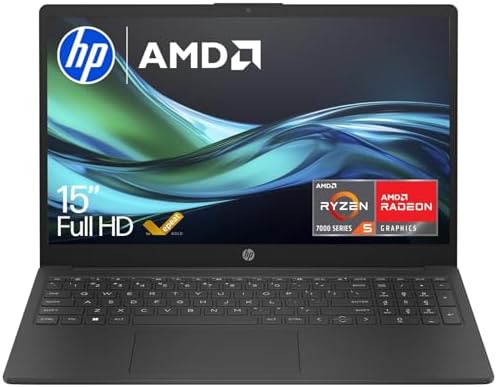
- STAY CONNECTED ON YOUR TERMS: Be seen and heard clearly and securely with a HP True Vision camera and background noise-r…
- YOUR ALL-DAY, ANYWHERE PRODUCTIVITY POWERHOUSE: Face the day with an AMD Processor , long battery life, ample storage, a…
- AMD RYZEN 5 PROCESSOR: Tap into truly impressive notebook performance. A revolutionary new architecture with amazing bat…

- 【Processor】 AMD Ryzen 5 7530U (6 Cores, 12 Threads, 16MB L3 Cache, 3MB L2 Cache, Base Frequency at 2.0GHz, Up to 4.5GHz …
- 【Display】 15.6 inch Non-Touch Display, FHD (1920 x 1080), IPS, narrow bezel, anti-glare, 250 nits, 45% NTSC.
- 【RAM and Storage】 Up to 64GB DDR4 RAM. Up to 4TB PCIe M.2 SSD.
But Windows security has improved
Modern Windows includes:
- Windows Defender
- hardware-based virtualisation security
- secure boot
- sandboxing
With proper configuration and updates, a Windows laptop can be just as secure as any other system.
The real factor: device management and updates
Security experts repeatedly emphasise that any device becomes dangerous if it is not maintained.
Unpatched phones, tablets or laptops can allow attackers to intercept communications, steal credentials or access sensitive data.
The UK government and the National Cyber Security Centre therefore recommend basic practices such as:
- installing updates quickly
- using strong passwords or biometrics
- enabling multi-factor authentication
- encrypting devices
- avoiding untrusted software sources.
Expert view
National Cyber Security Centre (UK)
The NCSC emphasises that security depends on configuration and updates, not just the device type.
Cybersecurity researchers
Security studies also highlight that mobile devices increasingly include hardware-level protections and sandboxed applications to reduce malware damage.
Industry analysts
Many experts note that Windows machines attract the most malware primarily because they are the largest and most profitable target, rather than because they are fundamentally weaker systems.
Final verdict
If you forced a cybersecurity professional to rank everyday devices for online safety today:
| Device | Overall security reputation | Why |
|---|---|---|
| Smartphone | Safest by default | Sandboxed apps, strict app stores, secure hardware |
| MacBook | Very strong laptop security | Unix foundation, integrated hardware/software |
| Tablet | Similar to phones but less updated | Same OS protections but often older devices |
| Windows laptop | Most attacked | Huge market share and broader software ecosystem |
But the uncomfortable truth is this: the most dangerous device online is the one owned by a careless user.
Give a reckless person the most secure phone in the world and they will still install a fake crypto wallet, type passwords into phishing pages and click suspicious links. At that point the operating system is just watching the disaster unfold. And sadly, computers are extremely patient witnesses.
Accelerate Your Learning
We have created Professional High Quality Downloadable PDF’s at great prices for UK Businesses provided to you from our main website. Which include various helpful Cyber related documents and real world scenarios your business might experience, showing what to do and how to protect your business. Find them here.